
The Most Common Digital Scams in 2026 and How to Protect Your Bank Accounts
Which digital scams are most common in 2026, and how do they reach you? In 2026, the scams people run into most often involve fake bills, phony support representatives, package-tracking messages, bank or retailer links, and urgent requests for a verification code. They show up in email, text messages, WhatsApp, social media, and ads, usually pushing you away from the official channel and pressuring you to act immediately.
Key takeaways
- In 2026, the most common scams involve fake bills, fake support representatives, fake package tracking, and requests for verification codes.
- The risk increases when a message tries to pull you away from the official channel and pressure you into taking immediate action through a link, text message, email, or WhatsApp.
- If a message asks for your password, token, or verification code, the safest choice is to confirm it through the official app or website before taking action.
- Turn on multifactor authentication and transaction alerts for 2 critical accounts, your bank and email, to reduce the risk of account takeover.
- If you fell for the scam, change your password, sign out of active sessions, and notify your bank that same day to try to limit the damage and dispute transactions.
Which Digital Scams Are Most Common in 2026 and How Do They Reach You
The packaging changes, but the basic playbook stays the same: trigger urgency, fear, obedience to authority, or curiosity. CERT.br describes this form of social engineering as a way to persuade victims to share sensitive information, such as passwords and codes, or take risky steps, including opening fake webpages and installing malware.
In practice, that might be a fake bill for an overdue account, an alert about an unrecognized purchase, or a request to update your account information, fake support from your carriera package-tracking link, or a message from your bank warning that your account will be blocked. Banco Central do Brasil has taken part in a campaign against financial scams because people often deal with financial institutions through digital channels. That makes fraudulent messages look more convincing.
The point of entry is usually easy to predict. Text messages, emails, ads, and chats on apps such as WhatsApp and social media push users to click a link or move into a private conversation, where the scammer can control the exchange more easily. The danger increases when the message uses a shortened URL, a domain name that closely resembles a legitimate one, or asks you to leave the institution’s official app, help center, or website.
The practical takeaway is simple: be suspicious of any message that combines urgency with an unusual request. If it asks for a password, verification code, confirmation through a shortened link, or a login on a page opened from an ad, the risk goes up significantly. Scams rarely begin with an obviously outrageous demand. They start with something that sounds plausible.
How to Spot Phishing and Social Engineering in Messages and Links
- Check the sender carefully: a polished display name is not enough. Look at the actual address, the domain, and whether the institution usually contacts you through that channel.
- Pay attention to the message's language: unusual errors, a threatening tone, artificial urgency, and a request to act immediately are classic signs of manipulation.
- Check the URL before clicking: shortened links, spelling that resembles the official website, and pages that ask you to log in outside the expected domain require extra caution.
- Be skeptical of requests for verification codes, passwords, tokens, or device confirmations through direct messages, because a legitimate bank does not ask for them that way.
- If the message seems legitimate, verify it through a separate official channel by opening your bank’s app, typing in the address you know, or calling the number you already have saved.
- Don’t respond to the scammer’s urgency: urgency, threats of account suspension, unexpected prizes, and supposed account verification issues are triggers designed to make you click before you think.
The detail that most often catches even experienced people is the mix of a familiar format and false content. A message can be free of language errors and still be fake. An email with a perfect logo, an official-looking signature, and a link to a similar-looking domain can also be fraudulent. According to CERT.br, phishing scams use email, text messages, social media, and ads, often concealing the real address behind buttons or shortened links.
If you’re unsure, don’t keep the conversation going in the same message thread. Open the official app, check its in-app notification, type the website address yourself, or call the official number you already have saved. A legitimate message should still check out when you contact the institution separately. If it was a trap, that independent check will often expose the contradiction.
How to protect your bank accounts and what to do after falling for a scam
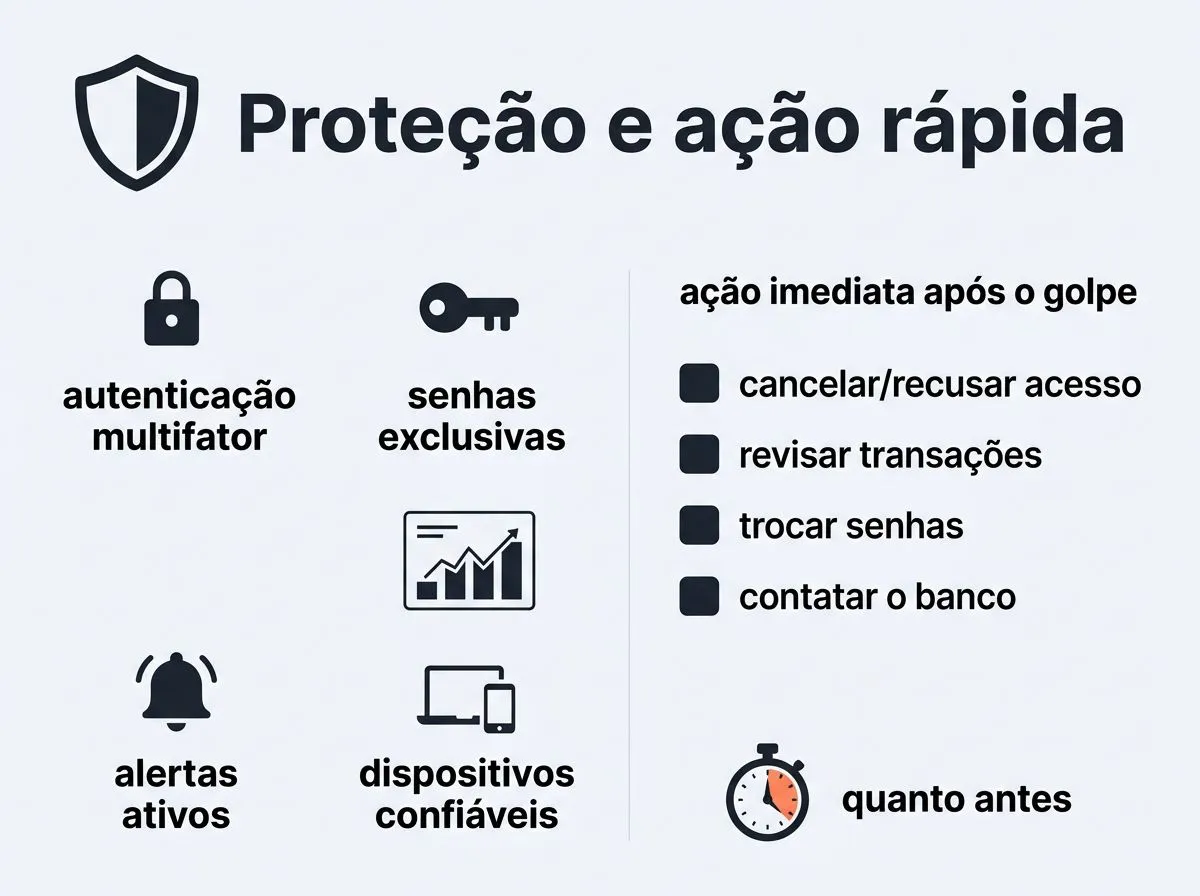
- Turn on multifactor authentication for your bank, email, and, if available, messaging app. Then review transaction alerts and trusted devices so you’ll be notified about new access or suspicious activity.
- Use unique passwords for your bank and email, and don’t reuse the same combination for other services. A password manager can help you create and store strong credentials without relying on memory.
- If you click a suspicious link, provide a verification code, or log in to a strange-looking page, change your password immediately, sign out of active sessions, and review the devices connected to your bank and email accounts.
- Lock your card or account through the app’s official channels as soon as you notice the fraud, and document what happened with screenshots, times, phone numbers used, the link’s domain, and any name shown in the conversation.
- Contact the institution’s official channels and, if there are unauthorized transactions, ask for guidance on disputing them, placing a preventive hold, and taking the next steps. The sooner you report it, the better your chances of limiting the operational damage.
Protection doesn’t come from one tool alone. Multifactor authentication, unique passwords, active alerts, and a firm rule against sharing verification codes in message-based conversations work better together. IBM and Malwarebytes describe this as a layered defense: technology helps, but your behavior still plays a decisive role.
After clicking a link or discovering a data breach, waiting to see what happens is a common mistake. Don’t wait. If a password was exposed, change your email password first, since email often controls password resets for other accounts. If someone accessed your bank account, lock it through the app and contact official support before the criminal tries additional transactions.
In Brazil, the Central Bank of Brazil is the main reference for practices related to the financial system, including the Pix ecosystem. If the scam involved an app, message, or phone number, save the records and contact CERT.br’s reporting and guidance channels as well. You should also notify your carrier when SMS or a suspicious phone number is involved, following the carrier’s customer service procedures and Anatel’s guidance.
Verification checklist:
- the bank’s email should not request a password or verification code outside the official app
- the URL must match the expected domain before you log in
- multifactor authentication must be enabled for the bank and email
- after suspecting a scam, the card or account must be locked through the official channel, and screenshots, times, and links must be saved for the dispute
Frequently asked questions
If I clicked the link but did not enter my password, do I still need to take action?
Yes. Even if you didn’t enter your password, clicking the link may have opened a phishing page, installed unwanted software, or captured browser data. Change the password for the affected account, review active sessions, check your multifactor authentication settings, and run a security scan on the device. If the page looked suspicious, save the link and the time it was opened so you can report the incident and dispute any resulting activity.
Should I change my bank password or email password first?
Change your email password first if email serves as the recovery key for your other accounts. An attacker may use it to reset access across several services. Then change your bank password and sign out of sessions on devices you don’t recognize. Even if the scam involved only your bank, check your email too, since it may provide a route to further access.
Where can I report a digital scam in Brazil?
The most useful response usually has three parts: notify the bank or affected institution, file a police report with your state’s civil police, and, if the scam involved SMS, a phone call, or a suspicious number, contact the carrier and the service’s official channels as well. Save screenshots, timestamps, links, and phone numbers. Those records can support the investigation and the dispute process.
Can I recover money transferred in a Pix scam?
It depends on how quickly you report the scam and what happened during the transfer. Contacting your bank soon after discovering the problem improves the chance that the transaction will be reviewed under the Special Return Mechanism, but a refund isn’t guaranteed. As more time passes, the practical chance of recovering the money generally decreases.