
Digital Banks in 2026: Is It Worth Moving Your Entire Account?
Moving your entire account to a digital bank in 2026 can be worthwhile if you do nearly everything through the app, want to cut account fees, and don't need a branch. For people who use ATMs, deposit cash, need face-to-face service, or want broader lending options, it's usually smarter to test the new bank for one pay or billing cycle before making a full switch. Keep the old account open during that trial.
Key Takeaways
- If you handle almost everything through the app, moving your entire account will likely make sense in 2026 after testing the new bank for 30 days.
- If you use ATMs, make cash deposits, or need in-person service, keep your old account open until you confirm that the new routine works.
- Compare at least 4 costs: monthly fees, ATM withdrawals, replacement cards, and lending fees, not just the promise of a free account.
- Before closing your traditional bank account, confirm that the new bank covers your monthly volume of transfers, withdrawals, and deposits.
- For people with mixed needs, splitting your banking between accounts is usually the more prudent choice until the digital bank proves it can handle your actual usage.
This guide does not cover investments, premium credit cards, or payroll accounts. Each situation has its own rules and can change the final decision.
What Actually Changes Between Digital and Traditional Banks in Daily Use
In practice, the biggest difference is operational: a digital bank minimizes your reliance on branches and shifts nearly everything to the app, while a traditional bank maintains more physical locations and usually provides more in-person services. That setup works well for people who manage their banking by phone. It can become frustrating when they need cash or quick help from a person.
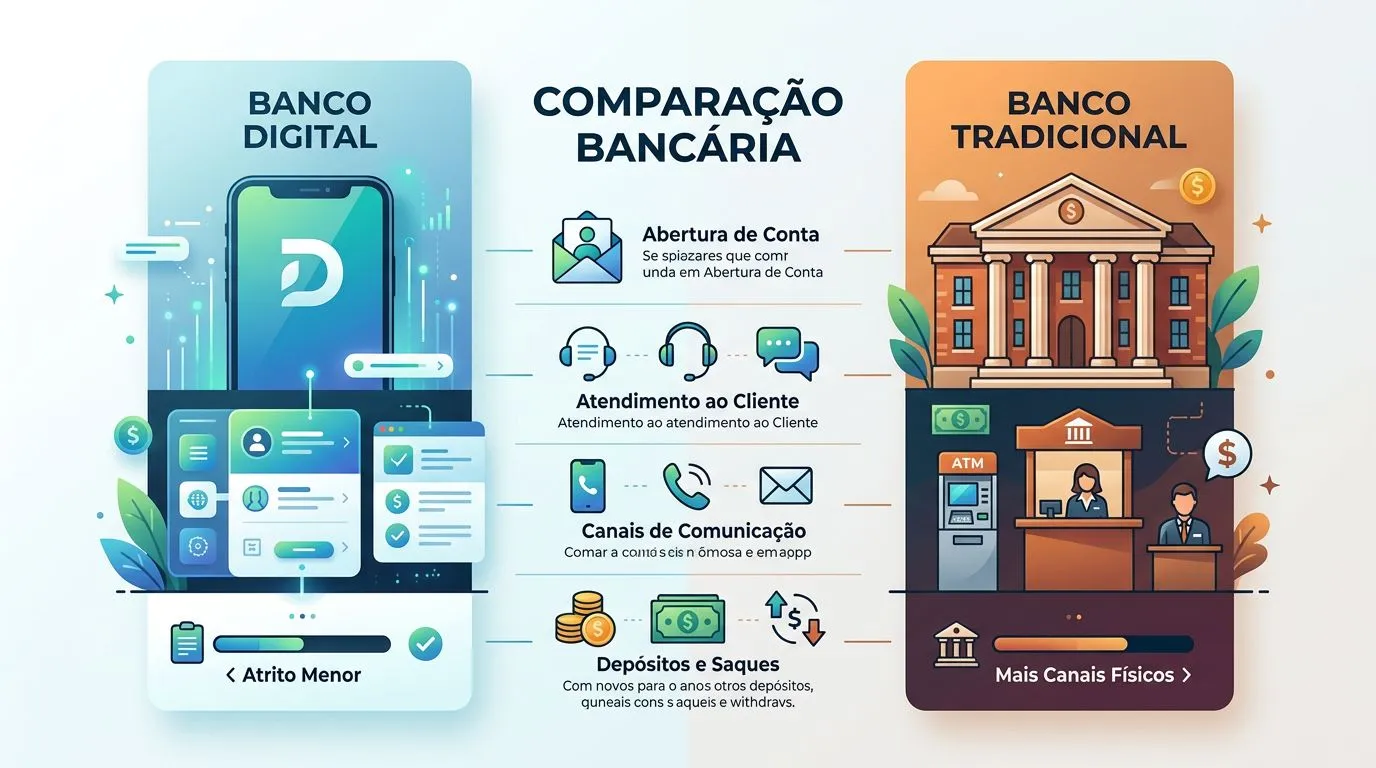
| Criteria | Digital Banks | Traditional Banks | Impact on the Customer |
|---|---|---|---|
| Online Account Opening and Onboarding | Usually completed through the app, with document uploads and digital verification | It can be done online, but some institutions and account packages still require in-person steps | Fewer hurdles to open and start using a digital account, more steps with traditional banking |
| Use through the app, online banking, and customer service channels | A focus on the app and remote channels | A mix of the app, online banking, phone support, and branches | People who like to handle everything on their phone tend to save time with digital banking |
| Whether a physical branch exists | There is usually no proprietary branch network | There is a physical branch network or a broader banking presence | A branch helps with complex issues and face-to-face contact |
| Cash withdrawals, deposits, and access to physical cash | Cash withdrawals may be available, but cash deposits are often limited or indirect | Cash withdrawals and deposits tend to be more accessible through the bank's own network | People who deal with cash notice the difference quickly |
| Speed of customer service and problem resolution | Remote support and in-app issue reporting | Remote and in-person channels, with escalation at a branch | Simple problems move along smoothly online; more complicated cases may require extra patience |
| Integration with Pix, bill payments, cards, and transfers | Usually a major, core product offering | It also exists, but may come bundled with broader packages | In everyday use, PIX and bill payments are rarely the problem; the real burden lies in support and cost |
The studies compiled by UNIFAL-MG and by UNIFESP show that pressure from digital banks pushed traditional banks to speed up digitalization, innovation, and omnichannel services. For customers, the result is clear: the real difference is no longer limited to the app. It also shows in how the bank handles problems that fall outside the usual process.
How much it costs to use each type of account and which fees are worth comparing
The monthly fee is only one part of the comparison. What really matters is the total cost of the banking relationship. A digital account may be cheap for basic use, then cost more if you exceed ATM withdrawal limits, need a replacement card, or bundle credit and other services with that bank.
| Service | May be available digitally | May be available through a traditional bank | How customers compare |
|---|---|---|---|
| Checking account maintenance | May be free or tied to a smaller package | May be charged under broader packages | Check the monthly fee and the waiver policy |
| Transfers and PIX outside the package | PIX is usually free; other services may have limits or rules | There may be a package with transaction limits and per-use fees | Compare what is truly free for your monthly volume |
| Withdrawals and replacement cards | May incur a fee per transaction | May also incur fees | Look at the cost per transaction, not just the free checking account claim |
| Service packages and fee-waiver requirements | Generally straightforward, with clear rules in the app | May be tied to your relationship with the bank, income, or minimum usage | The fee waiver applies only if your activity meets the requirements |
| Credit fees, overdraft charges, and credit card annual fees | May still apply even to accounts with no monthly fee | They also exist and may sometimes be more negotiable | Compare the CET, annual fee, and interest rates, not just the checking account |
| Indirect costs, such as travel and time spent getting help | Lower for people who do everything online | May increase when you visit a branch and wait in line | Time is also a cost, especially for people who use their account every week |
The Judicial School of TRT4 notes that a free checking account can work well for people who want to avoid a fixed fee. Those with more active banking needs, however, may get better service from a traditional account package chosen carefully. The practical point is straightforward: a low-cost account isn't automatically the best fit if you regularly make withdrawals, deposits, and several transactions each month.
What happens to the money if the institution runs into trouble
The key point is to tell a payment account apart from a bank checking account. The Central Bank of Brazil states that funds held in payment accounts are not part of the payment institution's assets for bankruptcy or court-ordered liquidation purposes. That creates a different protection framework from the one used for an ordinary bank account.
With a bank checking account, customer protection generally comes through the FGC when the product falls under the fund's rules, including demand deposits, savings accounts, CDBs, RDBs, LCIs, and LCAs. Payment accounts follow their own legal structure. So don't assume every balance held at a digital bank receives the same treatment.
Before moving a significant amount of money, check three details: the contract, the institution's registration, and the type of product. An app may call something an account, but if the document identifies it as a payment account, it does not receive the same legal treatment as a bank checking account.
The Central Bank of Brazil is the official reference for identifying the account's classification. Protection in a bankruptcy, intervention, or liquidation also depends on Law No. 6,024/1974 and the rule governing the product you purchased. For reserve funds, the important question is not simply whether the app works well. Ask who is responsible for the money if something goes wrong.
When it makes sense to move everything, keep split accounts, or stick with the traditional model
- Moving your primary account to a digital bank makes sense if you do almost everything through the app, receive and make payments via PIX, are comfortable handling customer service through chat, and do not need a branch or cash deposits. For this type of customer, the savings on fees and the convenience show up quickly.
- Sticking with a traditional bank makes more sense if you use ATMs often, deposit cash, need a bank representative, or handle issues in person. In this case, the higher cost may be offset by the physical network and broader in-person support.
- Keeping split accounts is often the best option when your digital bank already handles your daily needs, but you do not want to keep all your liquid funds in one place. A primary digital account and a backup account at a traditional bank reduce friction without forcing you to switch completely.
- Before switching, test the app for a few weeks, confirm fees in the contract, verify PIX and withdrawal limits, transfer automatic payments, update your personal information, salary deposits, and PIX keys, and only then consider closing the old account. Closing it too soon is the mistake most likely to create extra work.
The most practical choice is not to turn this into a digital-versus-traditional banking contest, as if you had to pick a team. Look at where you save time, where you spend less, and where you still need a physical network. That way, you're less likely to get stuck when the system, card, or app fails.
Next steps
- Open the app for the bank you want to use and write down its fees, limits, and fee-waiver requirements.
- Check whether your account is a payment account or a bank checking account in the contract and the official registry.
- Run a one-month test with PIX, bill payments, withdrawals, and customer service before moving everything.
- Transfer automatic payments and your primary income only after confirming that your routine worked without friction.
- Close the old account only after the new one has been operating smoothly.
Frequently asked questions
Are a digital account and a checking account the same thing?
Not necessarily. A digital account refers to how you access and manage the account, usually through an app and the internet. A checking account refers to the type of account. As this article explains, some digital accounts are payment accounts, while others are traditional bank accounts operated without a physical branch. The name displayed in the app alone does not determine the account's legal framework.
If the digital bank fails, will my money be frozen?
It depends on the type of account. For a payment account, the Central Bank states that the funds are not included in the institution's assets during bankruptcy or court-ordered liquidation, which changes how protection works. For a bank checking account, coverage generally follows FDIC rules when the product qualifies for that protection.
Can I withdraw cash from any online bank?
No. You can withdraw cash only when the institution offers that service and has a partner ATM network or another contracted arrangement. As the article explains, many online banks depend on partner ATMs, while traditional banks usually maintain a larger proprietary network. That makes cash access easier for people who use it regularly.
How can I close an account without a hassle?
The safest approach is to resolve any outstanding issues first, transfer the balance, cancel automatic payments, and request closure through the institution’s official channel. Keep the confirmation number and proof that the account was closed. It’s also smart to test the new account before shutting down the old one. Close it too soon, and you may create extra work for yourself.